
Start with the roles
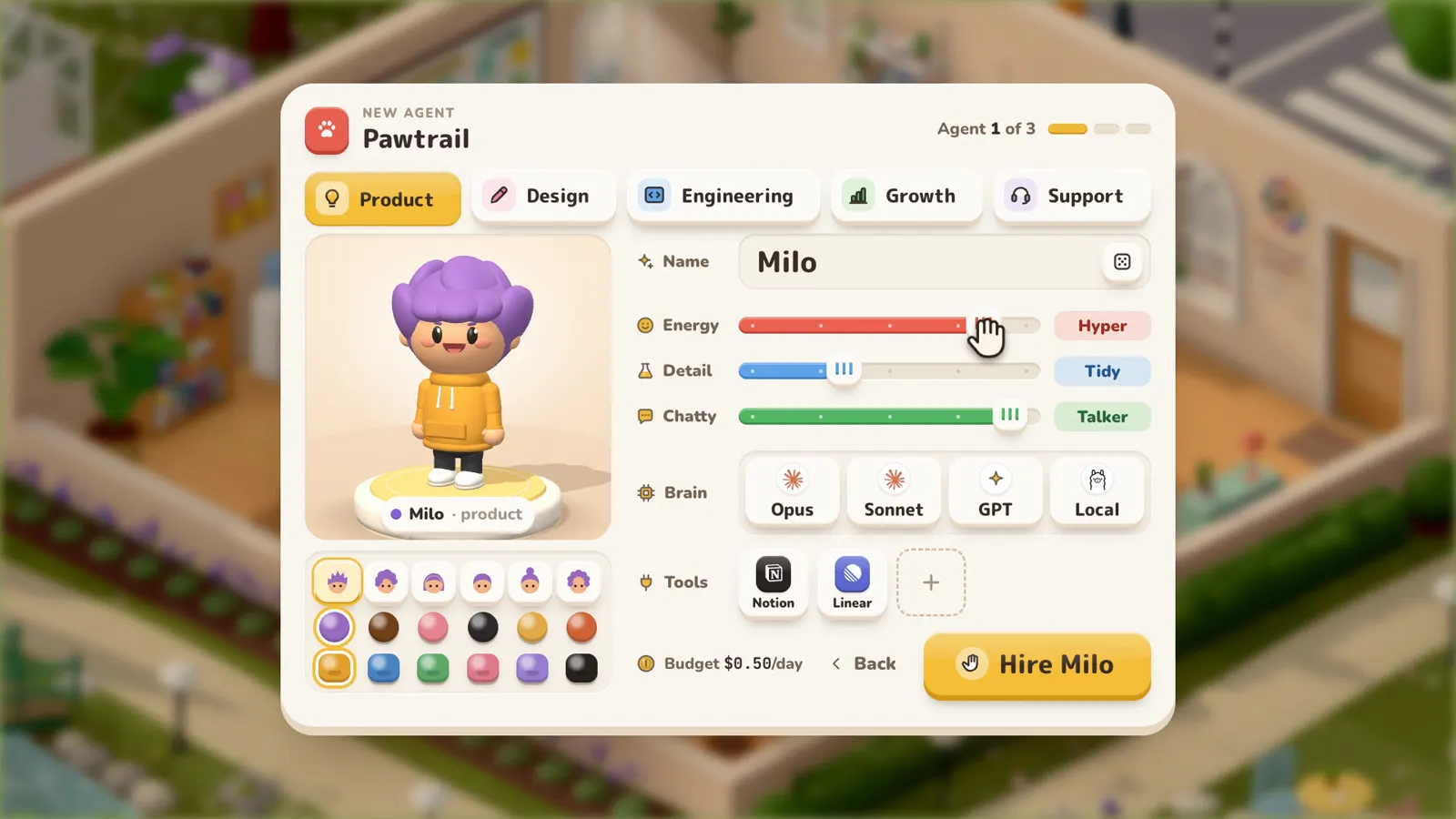
The agent creator has five roles: Product, Design, Engineering, Growth and Support. Most small products need three to start: someone to decide what to build, someone to design it and someone to build it. Growth and Support can wait until there's something to sell.
Pawtrail, the dog-walking company in the Workville film, started with these three:
| Agent | Role | What they do | Tools |
|---|---|---|---|
| Milo | Product | Turns a vague ask into a brief, finds the smallest version worth shipping and writes tasks anyone can pick up. | Linear, Notion, Stripe |
| Sketch | Design | Turns the brief into moodboards, colours and layouts. | Figma |
| Pixel | Engineering | Builds what the team designs, reviews every change and hands big jobs to coding agents. | GitHub, Expo |
Give each agent a personality
Three sliders set how an agent works: energy, attention to detail and how much they talk. Milo is all energy and big ideas, with little patience for detail. Sketch is quiet and exact. Pixel keeps tests green and ships small changes.
You never write a prompt. The creator turns the role, the sliders and the name into the agent's instructions, which set how they talk and what they care about.
Pick a brain
Each agent thinks with the model you choose: Claude Opus or Sonnet, GPT, an open-weights model such as Kimi, GLM or DeepSeek, or a model running on your own machine. A careful model suits the developer who reviews code; a fast, cheap one is enough for an agent who sorts support email.
Every agent also gets a daily budget. Milo's is $0.50 a day in the film, so a busy week can't run up a surprise bill.
Hand out the tools
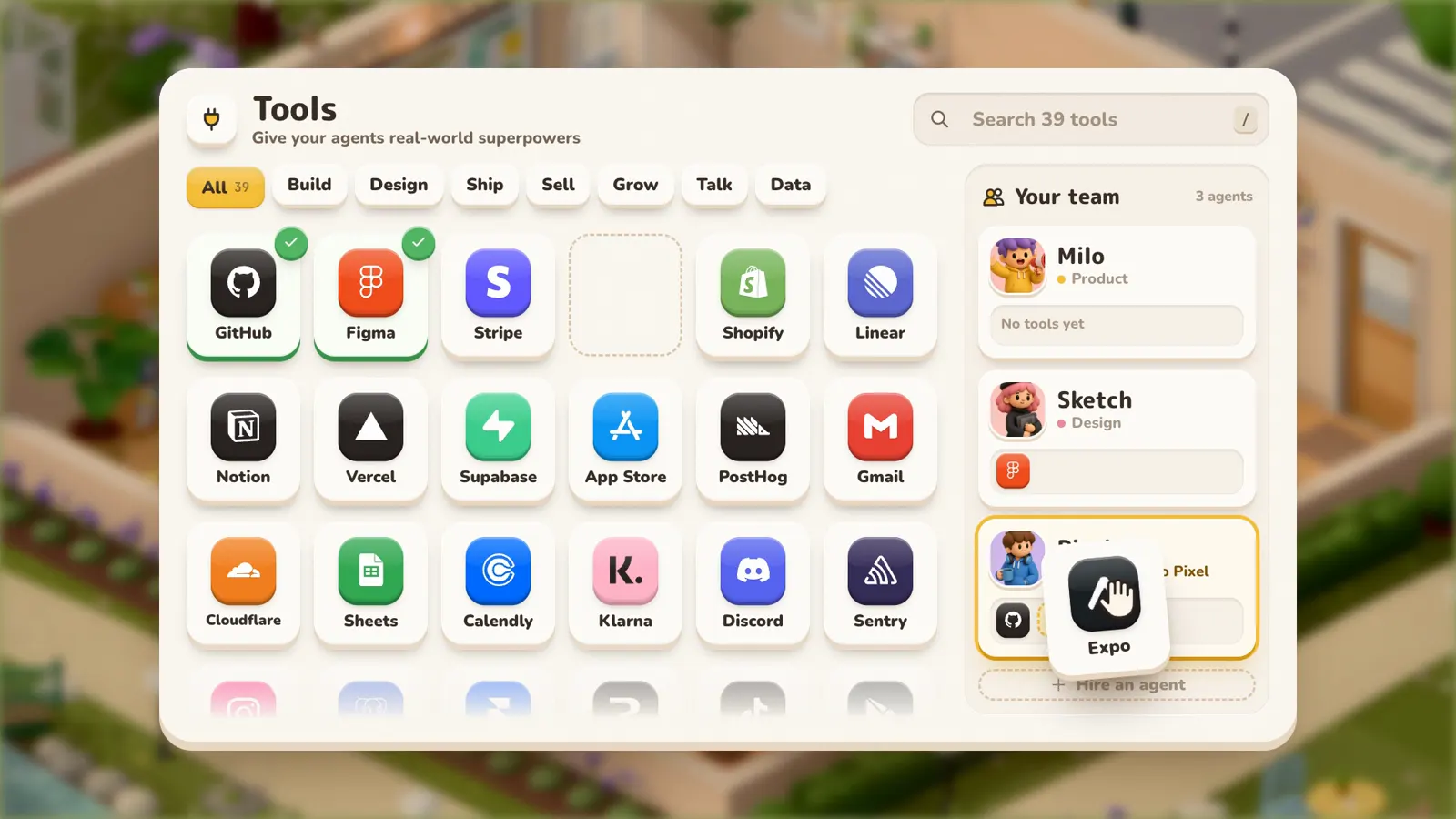
The tools directory has GitHub, Figma, Stripe, Expo, Shopify, Linear, Notion, Vercel, Supabase, the App Store, PostHog and Gmail, plus anything with an MCP server or a command line. Drag a tool onto an agent to give them access. Agents log in with their own keys, and the keys never reach the model.
How the team works together
The agents share one board. Milo writes the brief and breaks it into tasks, Sketch designs, and Pixel builds and reviews. They review each other's work, day and night, at desks in an office you can look in on.
You stay the owner. Anything that leaves the office, such as a release to the App Store, waits for your OK.
Questions
Are AI employees the same as AI agents?
In Workville, yes. An AI employee is an agent with a job: a role, a personality, a model to think with and tools to work with. Each one gets a desk and a computer in your office.
How many agents should I start with?
Three covers most small products: one for product, one for design and one for engineering. Add growth or support once there's something to sell.
Do I need to write prompts or code?
No. The choices you make in the agent creator become the agent's instructions.
What does it cost?
Workville is in early access, and early access is free. Each agent has a daily budget for the AI model it uses, which you set when you hire it.